


Introduction
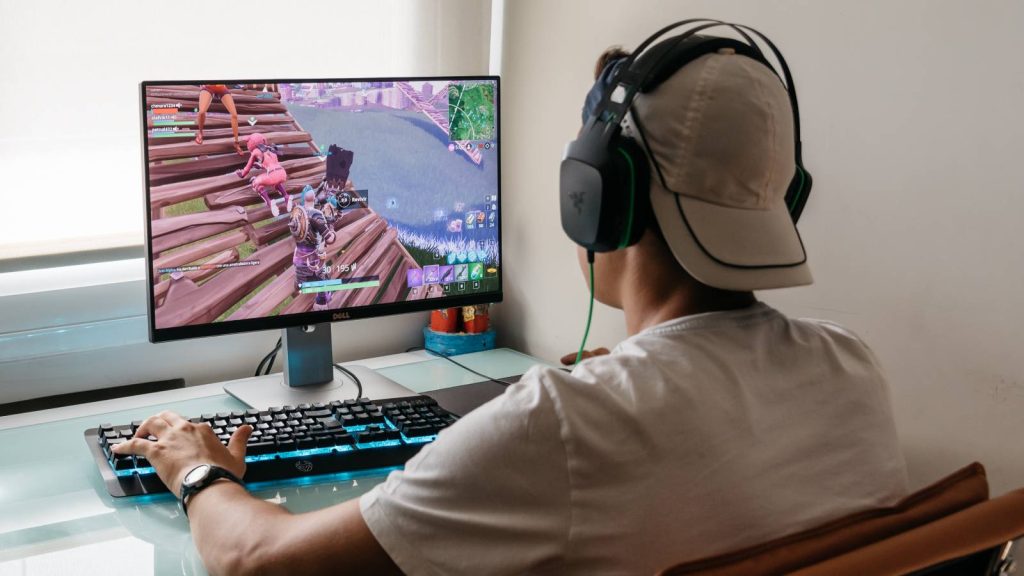
A gaming PC is a personal computer that is specifically designed and built for playing video games. It typically features high-performance components. Such as a fast processor, high-end graphics card, and large amount of memory, to ensure smooth and immersive gameplay. A best gaming PC under $600 may also include specialized features. Such as customizable lighting and advanced cooling systems, to enhance the overall gaming experience.
Benefits of Using a Gaming PC
There are several benefits to using a best gaming PC under $600, including:
- High performance: Gaming PCs are built with powerful components that can handle demanding games and applications. This means that games will run smoothly, with high frame rates and high-quality graphics.
- Customizability: With a gaming PC, you have the ability to easily upgrade and customize components to improve performance or add new features.
- Wide compatibility: Gaming PCs can run a wide variety of games and software, from older titles to the latest releases.
- Large library of games: Many games are only available on PC, giving players access to a larger library of games.
- Advanced features: Some games and software only work on PCs, such as virtual reality and modding.
- Cost-effective: Over time, it can be more cost-effective to build or buy a best gaming PC under $600. As opposed to purchasing a new console every few years.
- Versatility: A best gaming PC under $600 can be used for more than just gaming. Such as video editing, streaming, programming and much more, making it a multi-purpose machine.

Components to Consider for Your Gaming PC
CPU (Central Processing Unit)
The GPU, or graphics processing unit, is responsible for rendering images on the screen. This is an essential component for gaming, as it determines the quality and performance of the graphics in games. The two main manufacturers of GPUs for gaming PCs are NVIDIA and AMD, and both offer a range of options with varying levels of performance and price. Some of the most popular options for gaming GPUs include the NVIDIA GeForce RTX 30 series, and the AMD Radeon RX 6000 series.
GPU (Graphics Processing Unit)
The GPU, or graphics processing unit, is responsible for rendering images on the screen. This is an essential component for gaming, as it determines the quality and performance of the graphics in games. The two main manufacturers of GPUs for gaming PCs are NVIDIA and AMD, and both offer a range of options with varying levels of performance and price. Some of the most popular options for gaming GPUs include the NVIDIA GeForce RTX 30 series, and the AMD Radeon RX 6000 series.
RAM (Random Access Memory)
RAM, or random access memory, is a type of memory that is used by the computer to store data that is being used by the CPU. The more RAM a computer has, the more data it can store and the faster it can access it. For gaming, 8GB of RAM is generally considered the minimum, but 16GB or more is recommended for the best performance.
Storage
Storage is the component that stores all of your games, files, and operating system. For gaming, a fast solid-state drive (SSD) is recommended for the best performance, as it loads games and files much faster than a traditional hard drive. It is also important to have enough storage capacity to hold all of your games and files. A minimum of 256GB of storage is recommended for gaming, but 512GB or more is recommended.
Cooling
Cooling is an essential aspect of best gaming PCs under $600 as it ensures the components run at optimal temperature and avoid overheating. A good cooling system is essential for preventing thermal throttling, which can slow down the performance of the computer. Many best gaming PCs under $600 come with built-in cooling systems, but it’s also possible to add additional cooling, such as liquid cooling or additional fans, for even better performance.
Power Supply
Power supply is the component that provides power to all the other components. It’s important to have a power supply that is powerful enough to handle all the components, including any upgrades you may make in the future. A minimum of 600W is recommended for a best gaming PC under $600, but it’s also important to choose a power supply that is efficient and reliable.
Case
Case is the component that houses all the other components. It’s important to choose a case that is spacious enough to accommodate all your components, including any upgrades you may make in the future. It’s also important to choose a case that is well-ventilated, as good airflow is essential for keeping the components cool.

Optimize Your Gaming PC for Maximum Performance
Keep your drivers updated
Keeping your drivers updated can help ensure that your hardware is running at its best. You should regularly check for updates for your GPU, CPU, and other components, and install them as soon as they become available. This will help fix bugs and optimize performance.
Monitor Your System Resource Usage
Monitoring your system resource usage can help you identify any bottlenecks that may be affecting performance. You can use built-in tools, such as the Windows Task Manager, to monitor your CPU, GPU, and memory usage while playing games. This can help you identify any components that are being heavily utilized, and make adjustments accordingly.
Optimize Your Game Settings
Many games have a variety of settings that can be adjusted to improve performance. Lowering the resolution, turning off anti-aliasing, and reducing shadows and reflections can help boost performance. It’s also important to make sure that your game is running in full-screen mode, as running in windowed mode can cause performance issues.
Overclocking
Overclocking is the process of increasing the clock speed of your CPU or GPU to improve performance. This can be done using software tools, such as Intel XTU or AMD Ryzen Master. However, it is important to note that overclocking can cause your system to run hotter and consume more power. So it is recommended to use it with caution and have proper cooling in place.
Consider Upgrading Your PC
If you’ve tried all the other optimization techniques and you’re still not satisfied with your PC’s performance. It might be time to consider upgrading your best gaming PC under $600. Upgrading your GPU or CPU can help improve performance, as can adding more RAM or a faster storage drive.
Also read this: Capture Your Memories
Conclusion
A best gaming PC under $600 is a powerful and versatile machine that can provide an immersive and high-performance gaming experience. To optimize your gaming PC for maximum performance. It’s important to keep your drivers updated, monitor your system resource usage, optimize your game settings, overclock your components, clean your PC, add more RAM, optimize your internet connection, and consider upgrading your PC if necessary. By taking these steps, you can ensure that your gaming PC is running at its best and that you’re getting the most out of your gaming experience.